Plates by Branch is the fourth production widget on the Dashboard. This chart shows the amount of number plates made by the merchants top 5 locations. The values shown are totals calculated for the current duration set under Filter.
Plates by Branch Widget
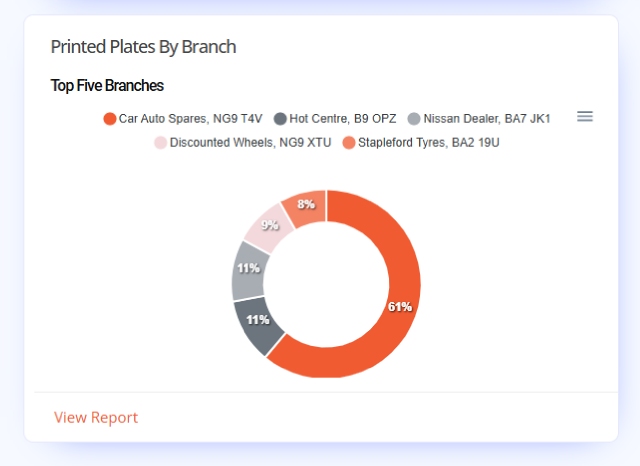
Tennants Central’s Plates by Branch widget shows which branch printed the most number plates for the set duration. This widget uses a Doughnut Chart to display how plate production was divided among all the merchants branches. The chart uses segments for the locations with sizes set by its share of the overall total.
Video Screengrab
Image Screengrab
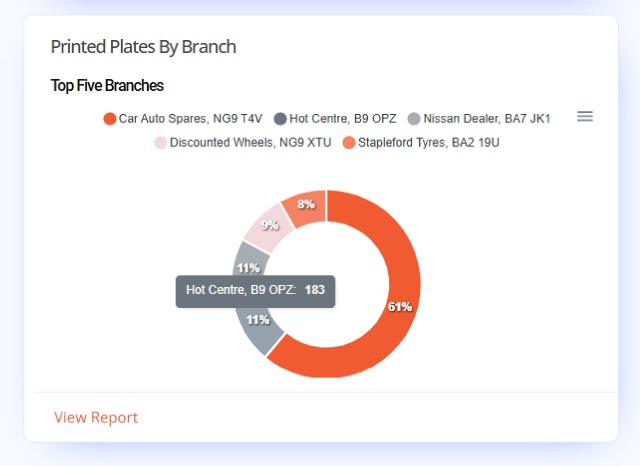
The chart shows percentage figures based on the overall total for the set timeframe or duration. The actual numbers of plates printed can be found on the charts tooltips.
Doughnut Chart
Print data from your merchant account’s top five branches are used to produce this Doughnut Chart. The chart shows segments for each location, with their size calculated by their percentage of the overall total. Each segment is automatically colour coded for easy viewing.
By default our plates software records every time it prints a number plate.
Graph Key
The graph key uses branch names as options to highlight specific locations. Hovering over an option, will cause other to fade from view. While clicking an option instead, will remove that selection from view. Unclick options to reset the chart.
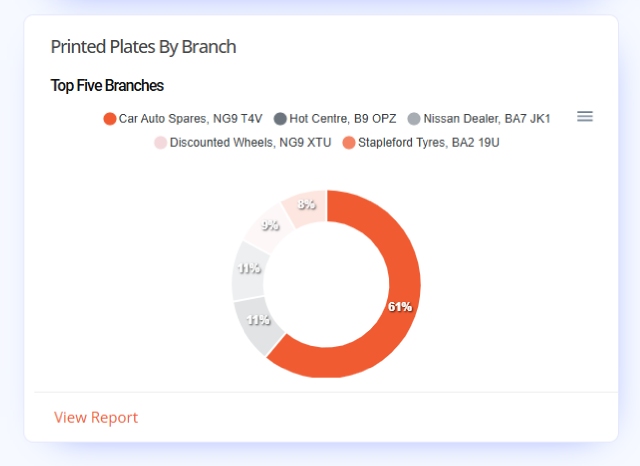
Chart Segments & Tooltips
Hovering over a segment on the Doughnut Chart highlights it & provides a tooltip displaying printed plate totals as a number. Clicking a segment on the chart will darken it for clarity, easing viewing. Segment interactions can be combined with the graph key to locate specific location data.
Report
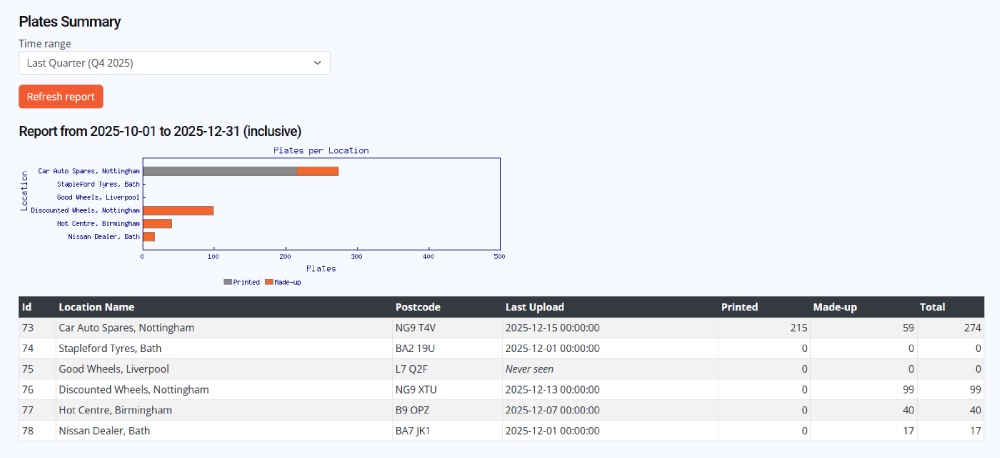
At the bottom of the widget is the Report Link. The shortcut links to a pre-configured Plates Summary report page for all locations under the current merchant. Details provided on the report has data from all branches including, last sync date, number of printed & made-up plates and overall totals.
Click the link to view the full report page, the duration may need setting under the Time Range filter.