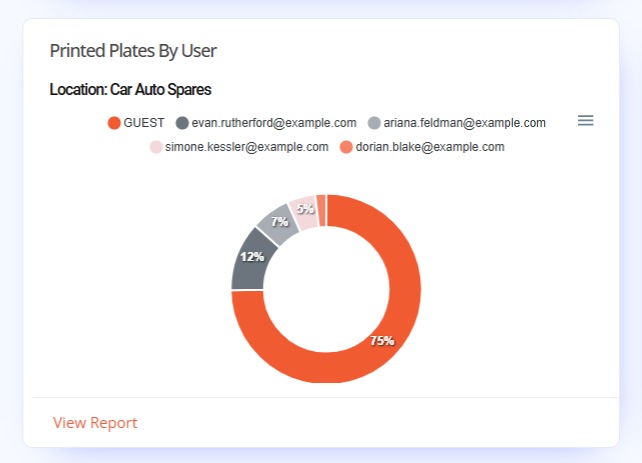
Printed Plates By User is the first number plate production widget on the Dashboard. This widget uses a Pie Chart to show the total number plates the members of your staff have printed at the current location. The values shown are totals calculated for the current duration set under Filter.
Plates by User Widget
Tennants Central’s Printed Plates by User widget shows which user printed the most number plates for the set location & duration. This widget uses a Doughnut Chart to display how plate production was divided among staff members. A Guest user – as shown on the image screengrab, show staff are not logging-in correctly to on-site LG Plates Software & printing number plates.
Video Screengrab
Image Screengrab
The widgets & graphs on Tennants Central are responsive, so they can be viewed on smaller screens but we recommend using desktop monitors.
Doughnut Graph
On-site software print data is used to populate the Printed Plates By User doughnut chart. The chart shows segments for each user, with their size calculated by their percentage of the overall plates printed. Each segment is automatically colour coded for easy viewing.
By default our plates software records every time it prints a number plate.
Graph Key
The graph key uses names as options to highlight or isolate specific users. Hovering over a user, will cause the others to almost fade from view. While clicking a name instead, will darken and slightly enlarge that segment. Unclick selected names & segments to reset the chart.
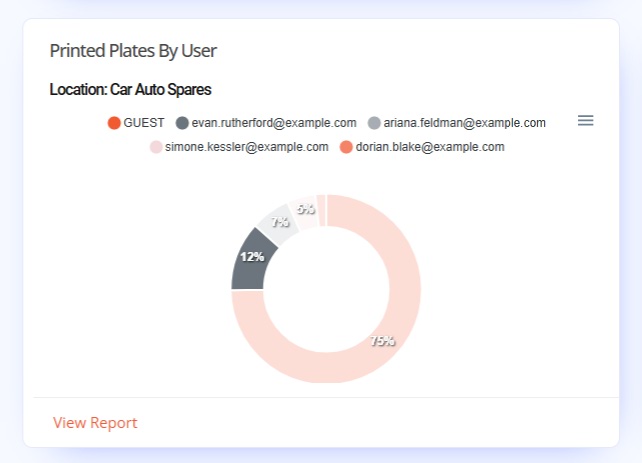
Chart Segments & Tooltips
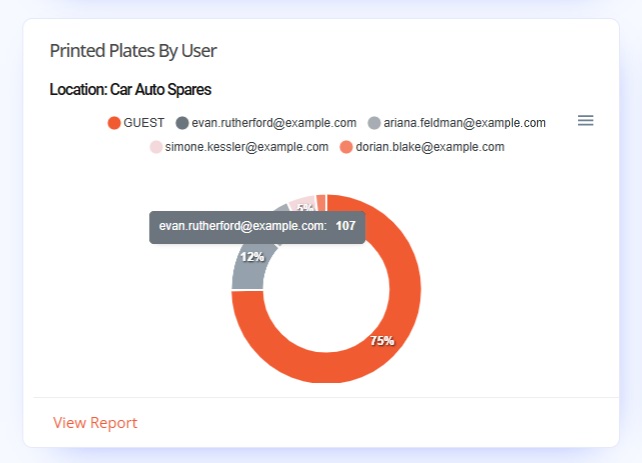
Hovering over a users segment on the chart will lighten it, a popup tooltip will appear & display their plates total. While clicking a segment will darken and highlight it. Chart interactions can be combined with the graph key to locate specific user data. Unclick selected keys & segments to reset the chart.
Report
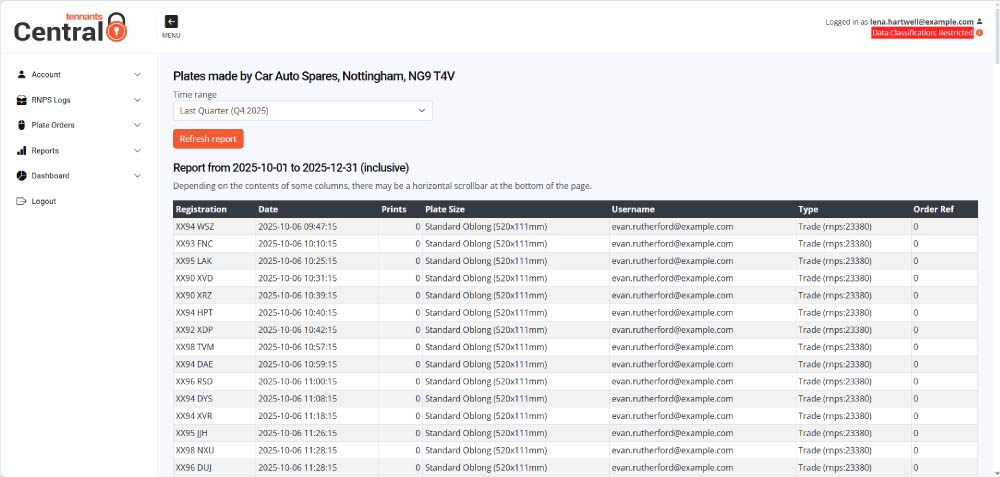
At the bottom of the widget is the Report Link. This shortcut links to the pre-configured Plates per Location webpage for the current branch. Information provided on the report has data including, the plate reg, date printed, plate size & the user responsible among other details.
Click the link to view the full report page, the duration may need setting under the Time Range filter.