
The Spindle Dashboard provides a quick overview of your recent number plate account activity. Each dashboard features several sections; account details, invoice links, last invoices, order history and recent orders.
Spindle Dashboard
Stop searching through old emails and spreadsheets to get simple answers about your number plate account. The Spindle Dashboard puts the all the information you need in one place, supplying instant oversight of your accounts current status and recent activity.
Dashboard – Video
Dashboard sections show your account’s status and pending invoice links. Other sections list the last 5 invoices and recent orders you have placed. Each of the sections, bar account details, includes links to any relevant files or its parent page.
Read the following details on the Spindle Dashboard for more of its features.
Pending Invoices
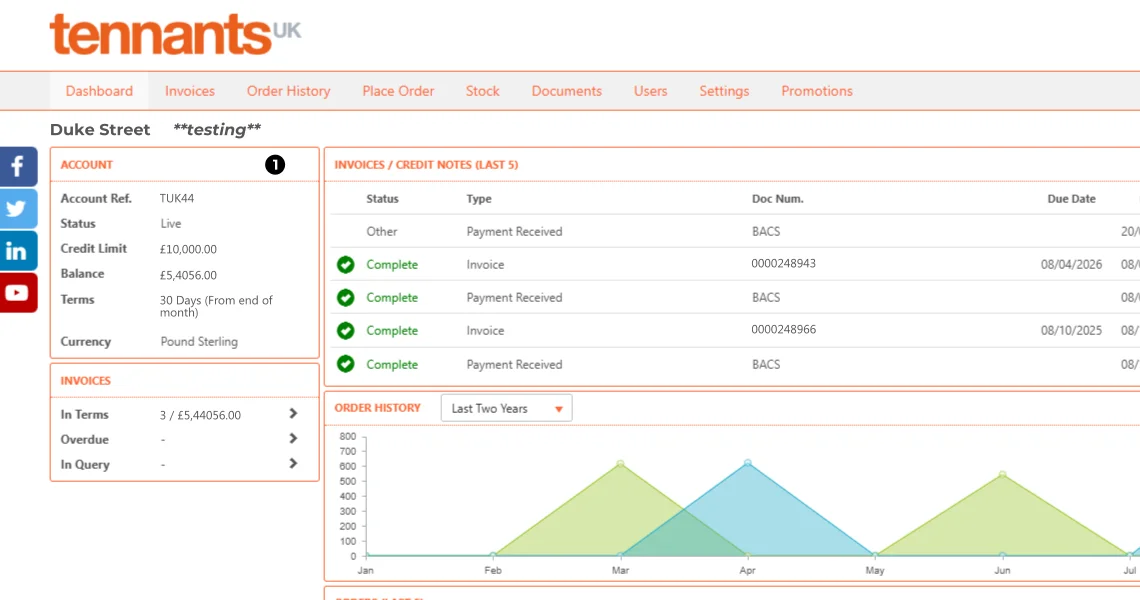
The Invoices box (2) provides convenient links to your pending account documents, be they in Terms, Overdue or In Query. Clicking on one of the arrow links will load the main Invoices page with the relevant status already filtered and active.
Recent Invoices/Notes
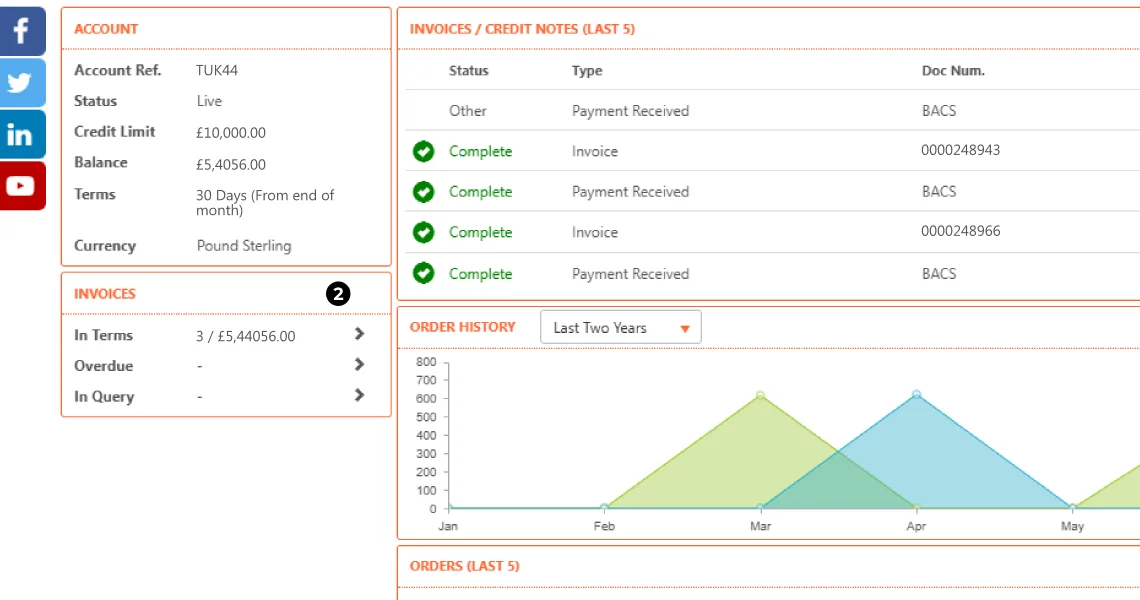
Your number plate account invoices shouldn’t be something you have to search for, thankfully the dashboard displays your last 5 Invoices & Notes where you can easily find them (3). Each invoice is summarised with links to PDF files for download. Payment and invoice status is displayed using icons along with its ref-number, date and value.
Order History Graph
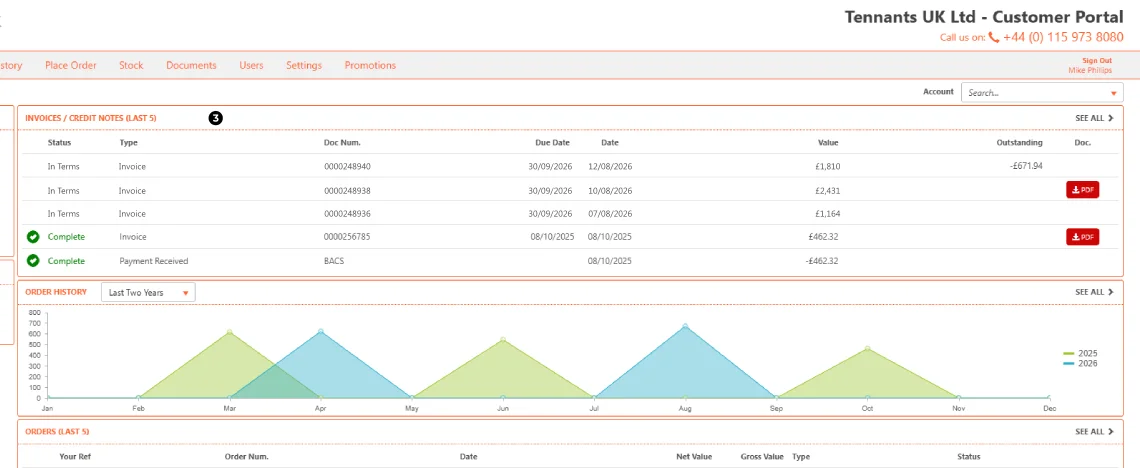
The dashboard also shows Order History using a simple interactive and filterable graph (4). A dropdown menu offers a small selection of time periods: last 2 years, year-to-date, last two months and month-to-date.

The graph uses the months as summary points, hovering over them with your pointer will display a tooltip with that months total. With the Last Two Years active, the graph will provide a comparison between years using different colours.
Latest Orders
Following the history graph is the Latest Orders section (5), a summary of the last 5 orders placed with links to a full breakdown of each one. With a row per Order, the summary includes its order-number, date, value, type and status.
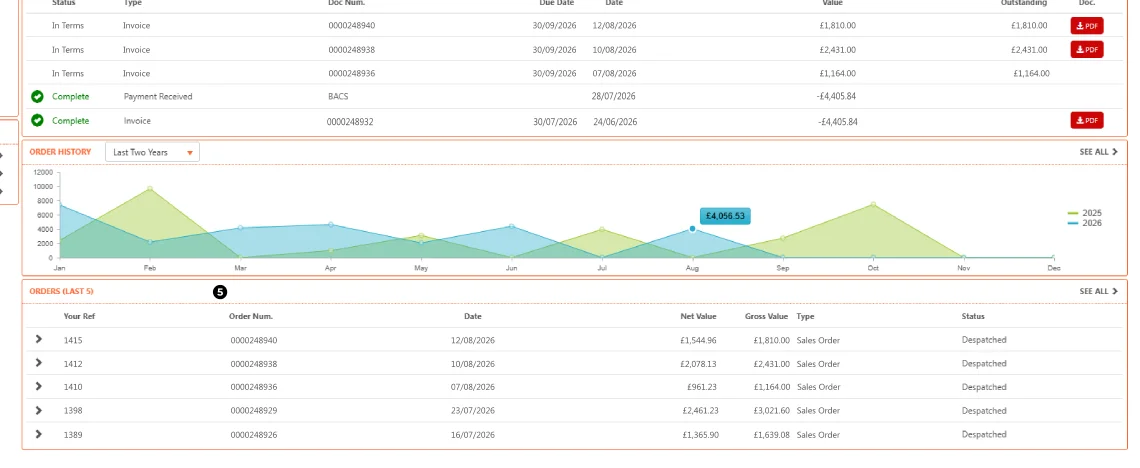
On the left of each row is an Arrow Link, clicking it forwards the user to Order History with the page showing the full breakdown of that sales order. The sales order breakdown shows exactly what components were ordered, their quantity, value and the orders overall total.
Spindle Features & User Guides
For more details of Spindle’s features or easy to follow user-guides, see the other articles in this Spindle Series. The next article is a guide on Account Invoices, covering how to view the invoices, credit-notes and statements linked to your number plate account.